



In today’s fast-evolving digital design landscape, professionals and students alike are asking: Will the best laptop for CAD elevate your design skills? As a global leader in engineering solutions, Smartcn Limited (SMARTCN) is committed to empowering engineers, architects, and designers with the latest tools and insights. This article explores how choosing the right CAD laptop can transform your workflow, improve productivity, and give you a competitive edge in the industry.
Computer-Aided Design (CAD) applications are notorious for being resource-intensive. Whether you’re working with AutoCAD, SolidWorks, or Revit, the performance of your laptop directly impacts your ability to handle complex models, renderings, and simulations. At SMARTCN, we’ve seen firsthand how an optimized workstation can shave hours off design cycles and reduce frustration from lag or crashes.
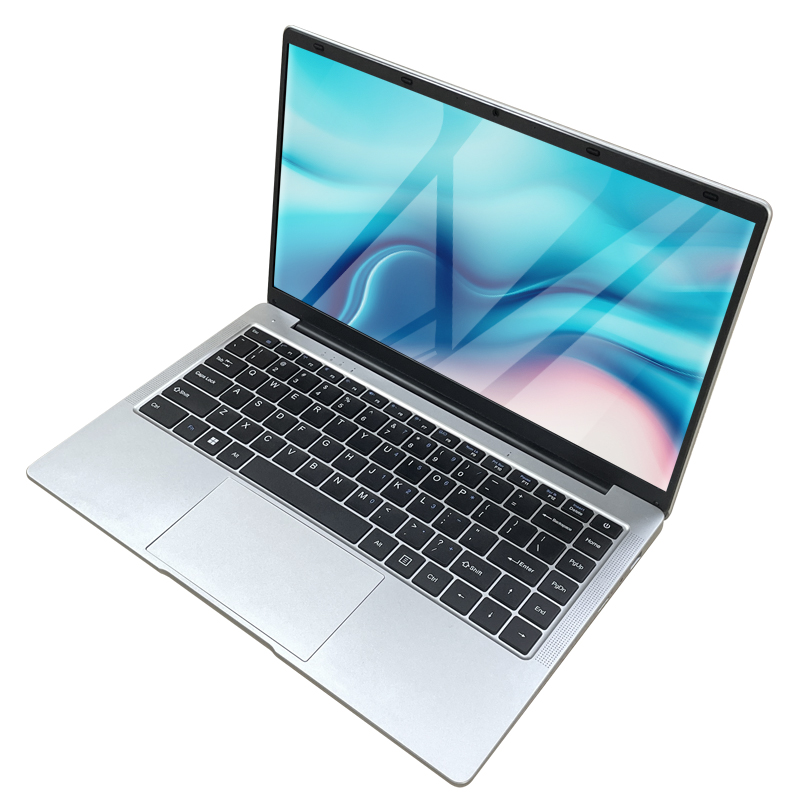
A high-performance laptop for CAD typically features a powerful CPU, dedicated graphics card, ample RAM, and fast SSD storage. These specs ensure smooth multitasking, quick rendering, and seamless manipulation of large files. But does having the best laptop for CAD truly elevate your design skills? Let’s dive deeper.
Speed and Efficiency: Faster processors and GPUs mean less waiting and more designing. With SMARTCN’s recommended CAD laptops, users report up to 40% reductions in rendering times.
Mobility and Flexibility: Modern CAD laptops are lightweight and portable, allowing engineers to take their projects from the office to the field with ease.
Reliability: Professional-grade laptops are built for extended use, minimizing downtime due to hardware failures or software crashes.
Collaboration: Enhanced connectivity options make it easier to share large files and collaborate in real time, crucial for today’s remote and hybrid work environments.
The CAD industry is experiencing a significant shift towards mobile workstations. According to a recent report by Engineering.com, over 60% of design professionals now prefer laptops over desktops. SMARTCN has responded to this trend by partnering with top laptop manufacturers to offer certified CAD-ready devices tailored to industry needs.
These laptops are not only powerful but also feature innovations such as 4K displays, advanced cooling systems, and extended battery life. For example, the latest NVIDIA RTX series graphics cards enable real-time ray tracing and AI-enhanced rendering, allowing designers to visualize their projects with unprecedented realism.
Upgrading to the best laptop for CAD is more than just a hardware change; it’s an investment in your professional growth. SMARTCN recommends a holistic approach: pair your new laptop with updated CAD software, cloud-based collaboration tools, and ongoing training. This synergy ensures you’re not only working faster but also smarter.
In fact, many SMARTCN clients report a noticeable boost in creativity and problem-solving when freed from technical limitations. With smoother navigation, faster calculations, and instant feedback, designers can explore more iterations and push the boundaries of their creativity.
While the best laptop for CAD provides the foundation, ongoing education is key to maximizing its potential. SMARTCN offers regular webinars, tutorials, and personalized support to help users stay ahead of the curve. Our experts guide customers through optimizing system settings, leveraging new software features, and troubleshooting common issues.
Moreover, the CAD industry is rapidly embracing innovations like Generative Design and AI-assisted modeling. Staying updated on these trends is essential for maintaining a competitive advantage. SMARTCN’s news portal is a trusted source for the latest developments, ensuring our clients are always informed and prepared.
Another key consideration is the difference between the best laptop for CAD and the best laptop for engineering students. While both require robust performance, engineering students may prioritize versatility and affordability. SMARTCN recommends laptops with mid-range GPUs, long battery life, and compatibility with a wide range of engineering software for students entering the field.
For professionals, investment in top-tier graphics and processing power pays dividends in productivity and future-proofing. SMARTCN’s product specialists can help you select the right device based on your specific needs and budget.
To answer the question: Yes, the best laptop for CAD can elevate your design skills—but it is part of a larger ecosystem of tools, skills, and ongoing learning. With the right hardware, you’ll enjoy smoother workflows, greater creative freedom, and the ability to tackle more ambitious projects. Combined with SMARTCN’s industry expertise, training, and support, you’re well-equipped to thrive in the demanding world of digital design.
Stay tuned to SMARTCN’s news page for more insights, product reviews, and expert tips on maximizing your design potential. Ready to upgrade? Contact our team today for personalized recommendations and exclusive offers.
Tags:Laptop,Laptop price